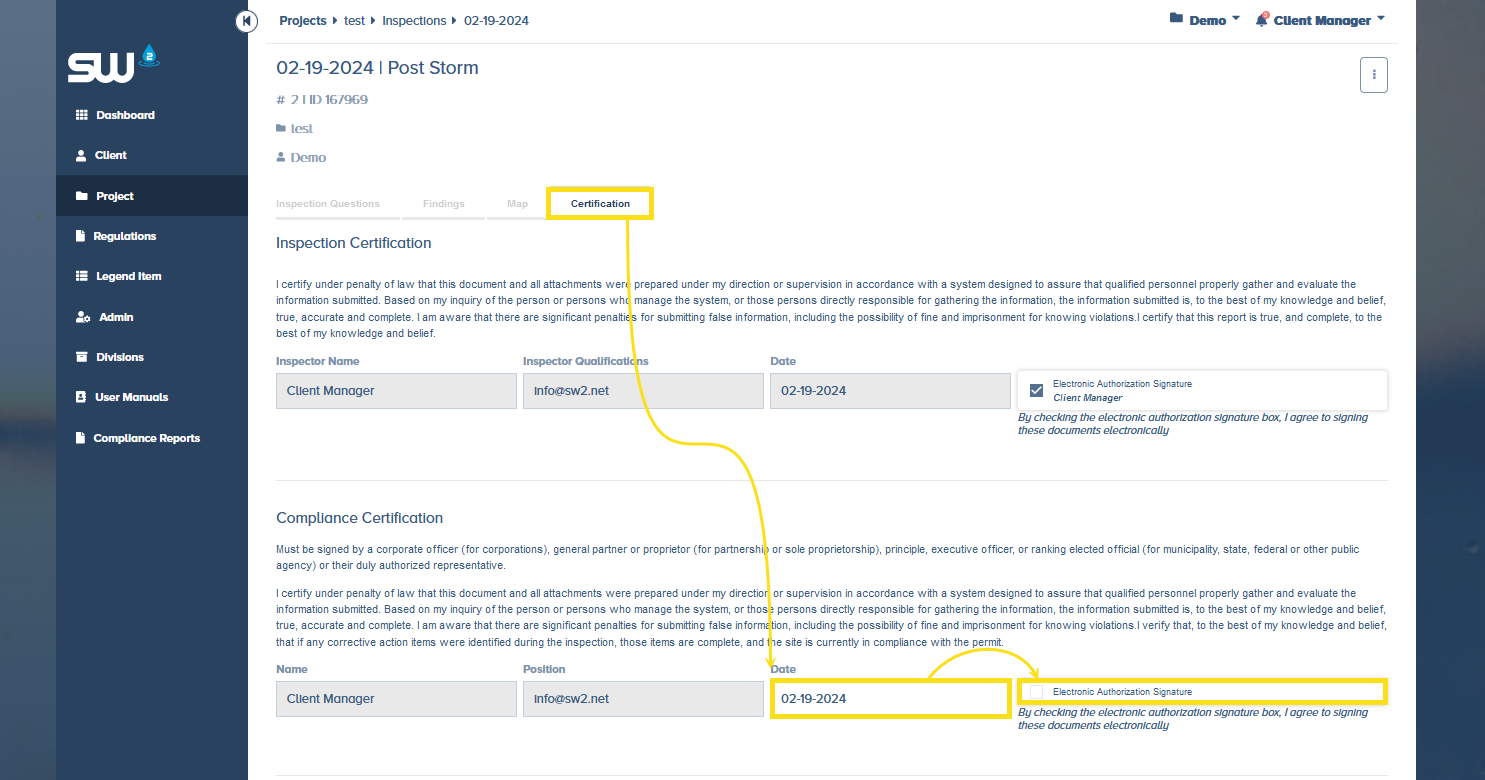
From Dashboard
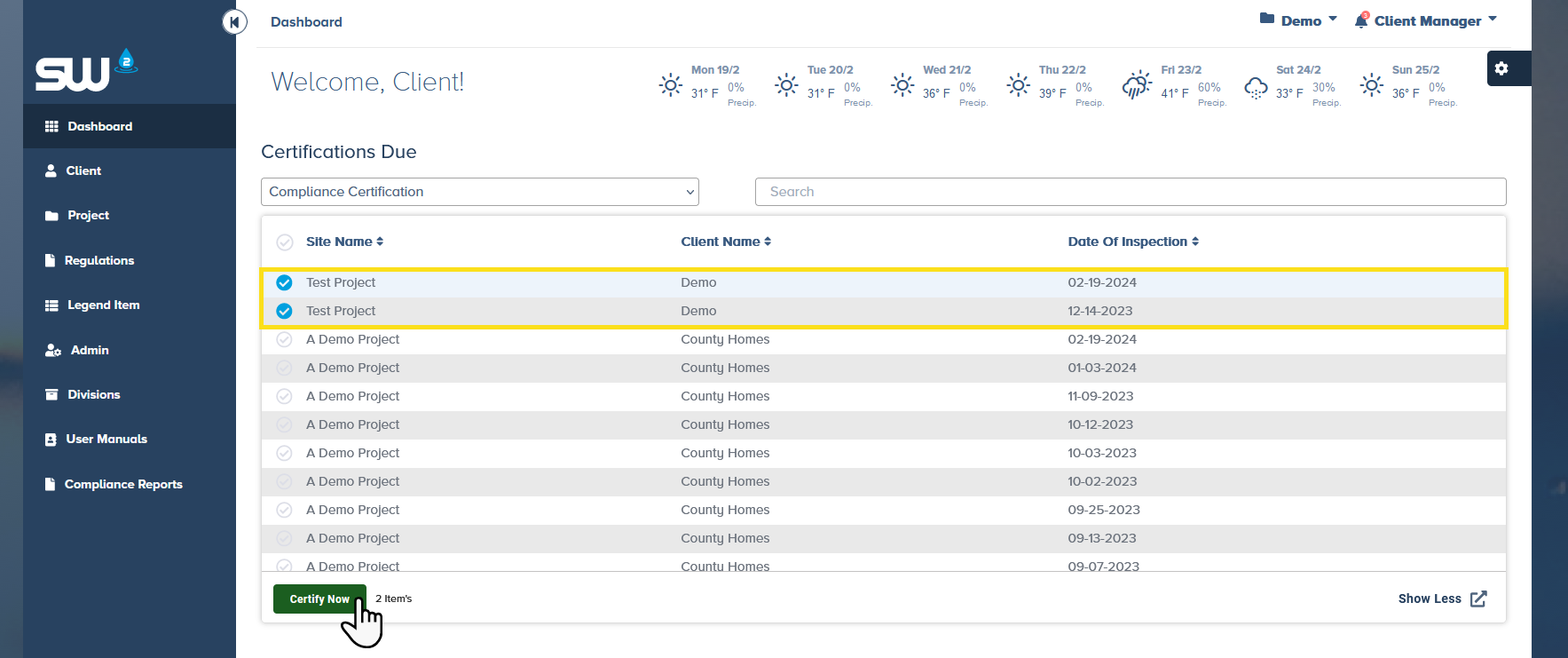
Find and view the Certifications Due widget
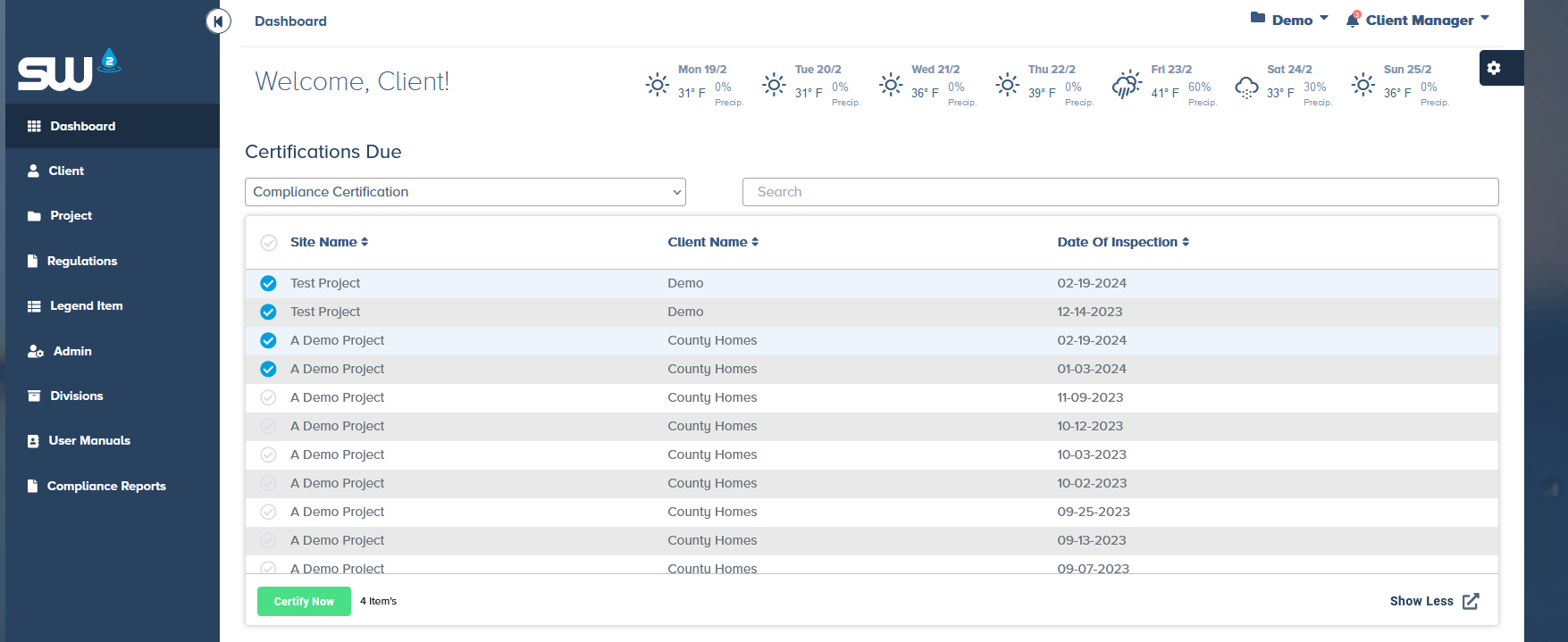
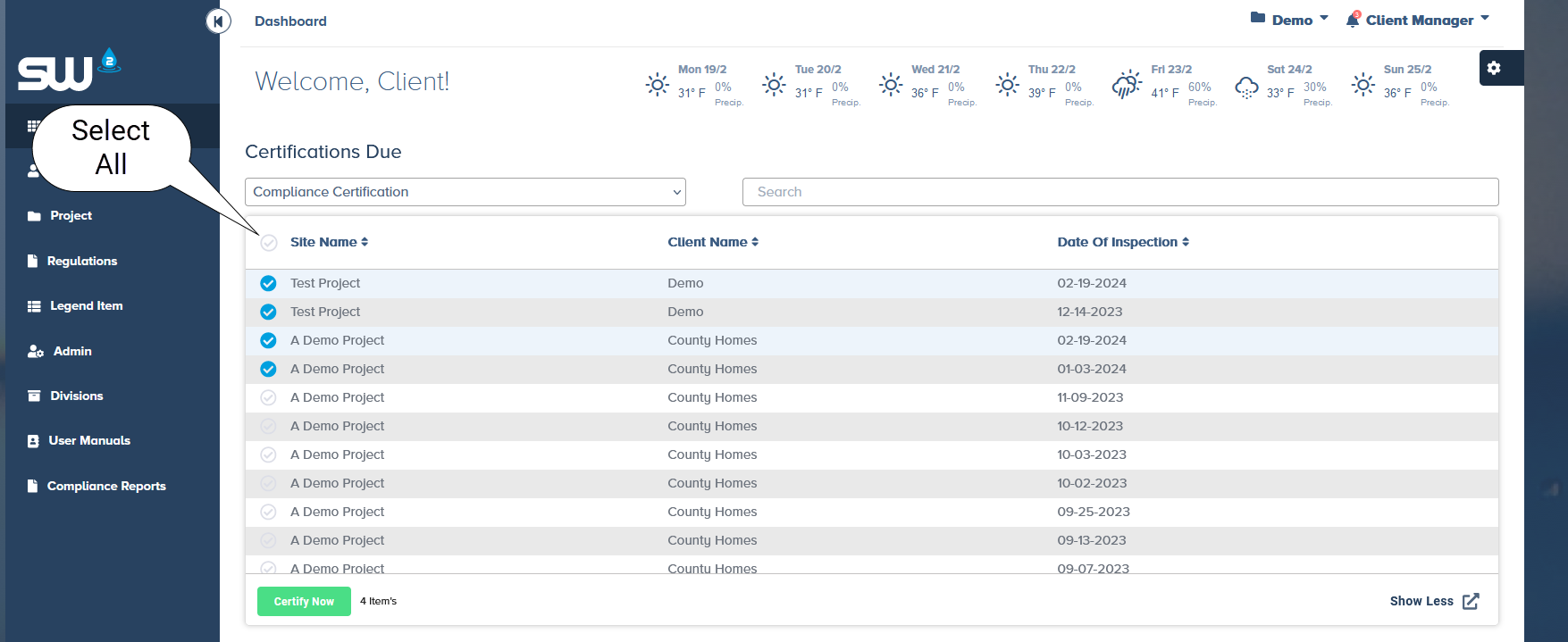
From here you can select one, multiple or all inspections to sign.
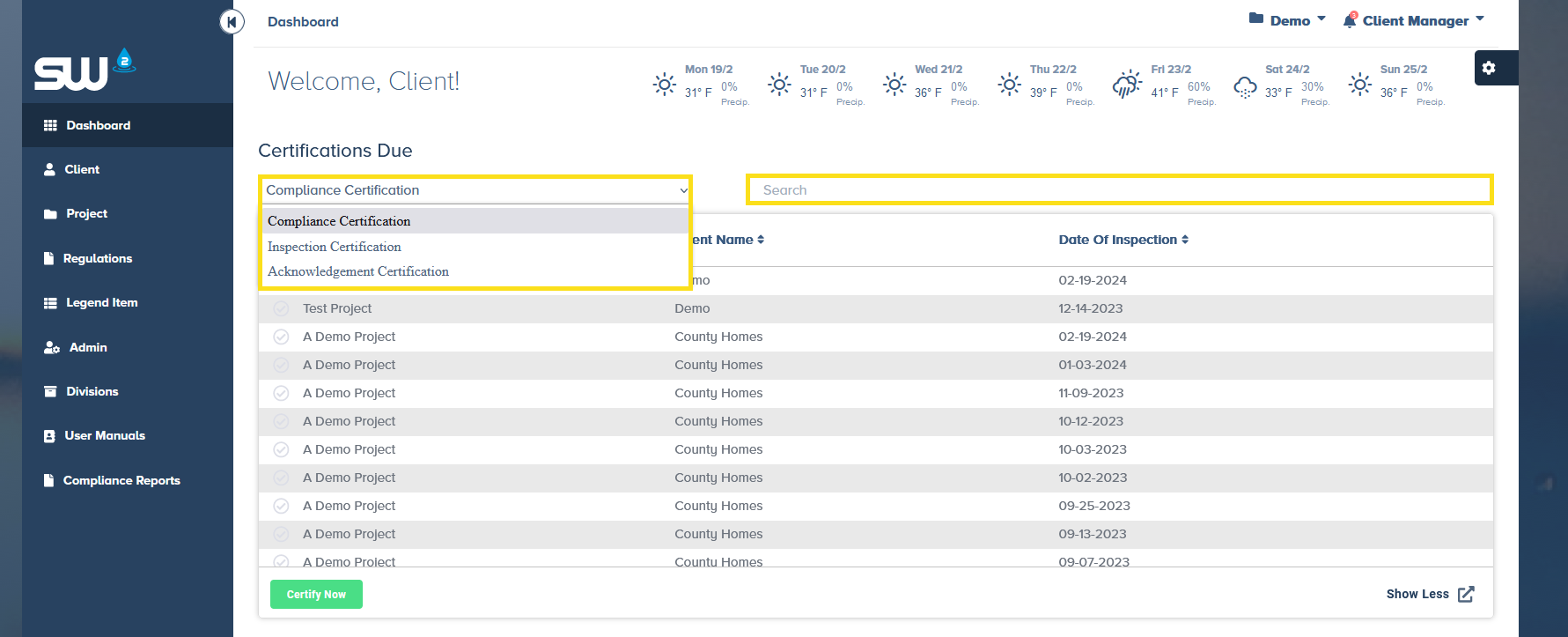
Users have the ability to sort by Certification Type and Search for a specific project.
When ready to sign inspection(s) simply select the reports and click Certify Now.
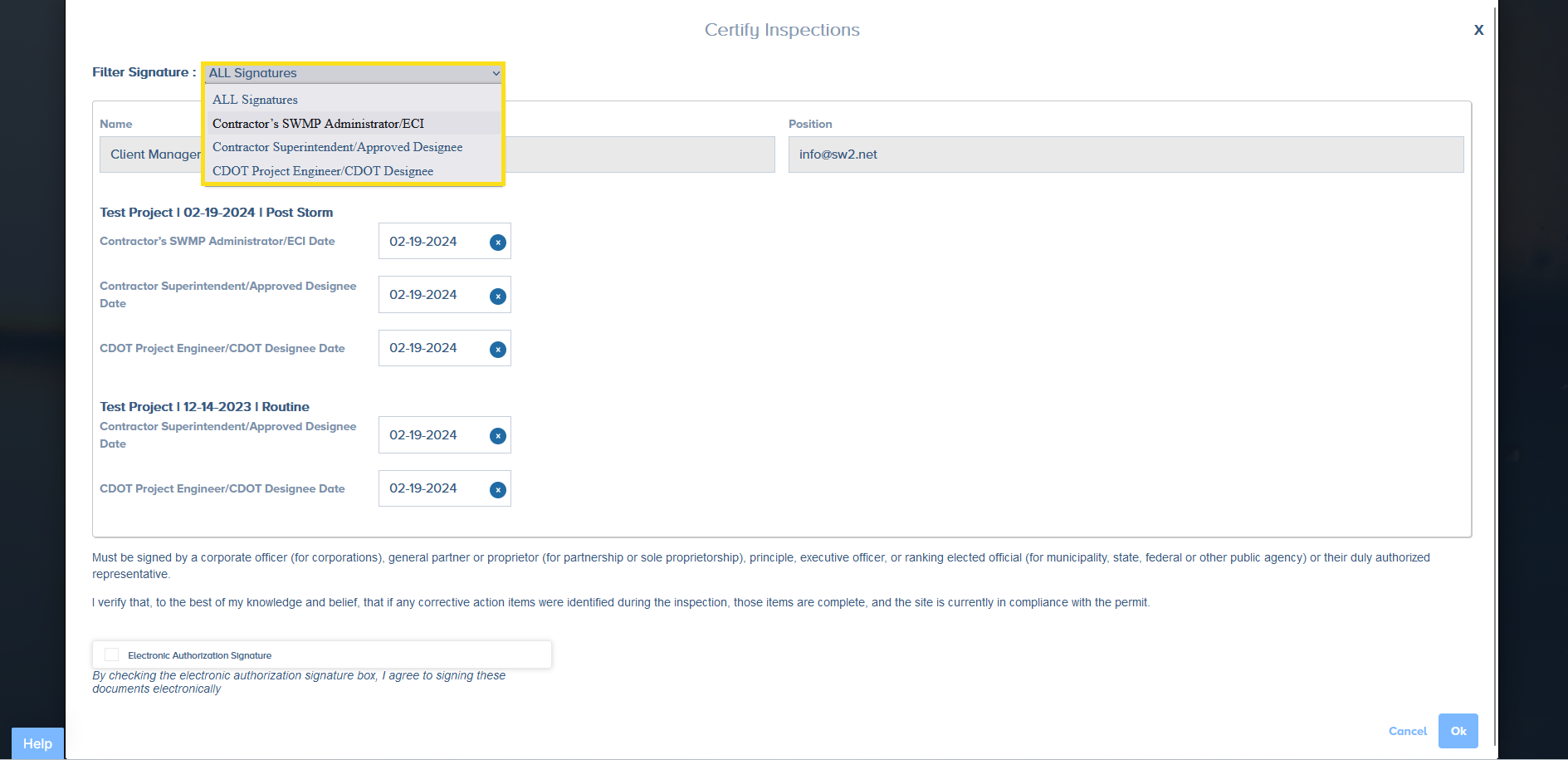
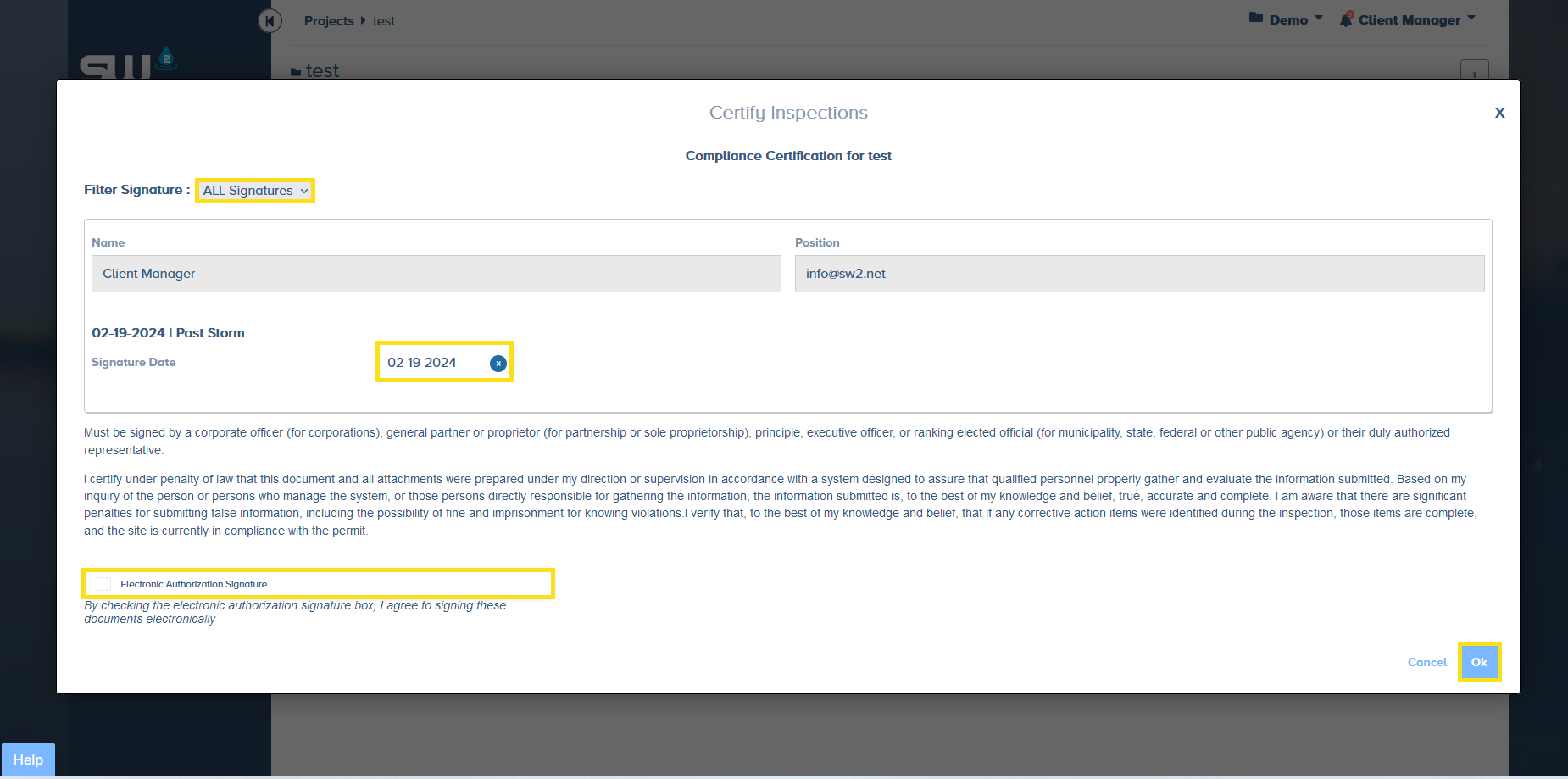
From here users can sort / isolate a specific certification line to sign.
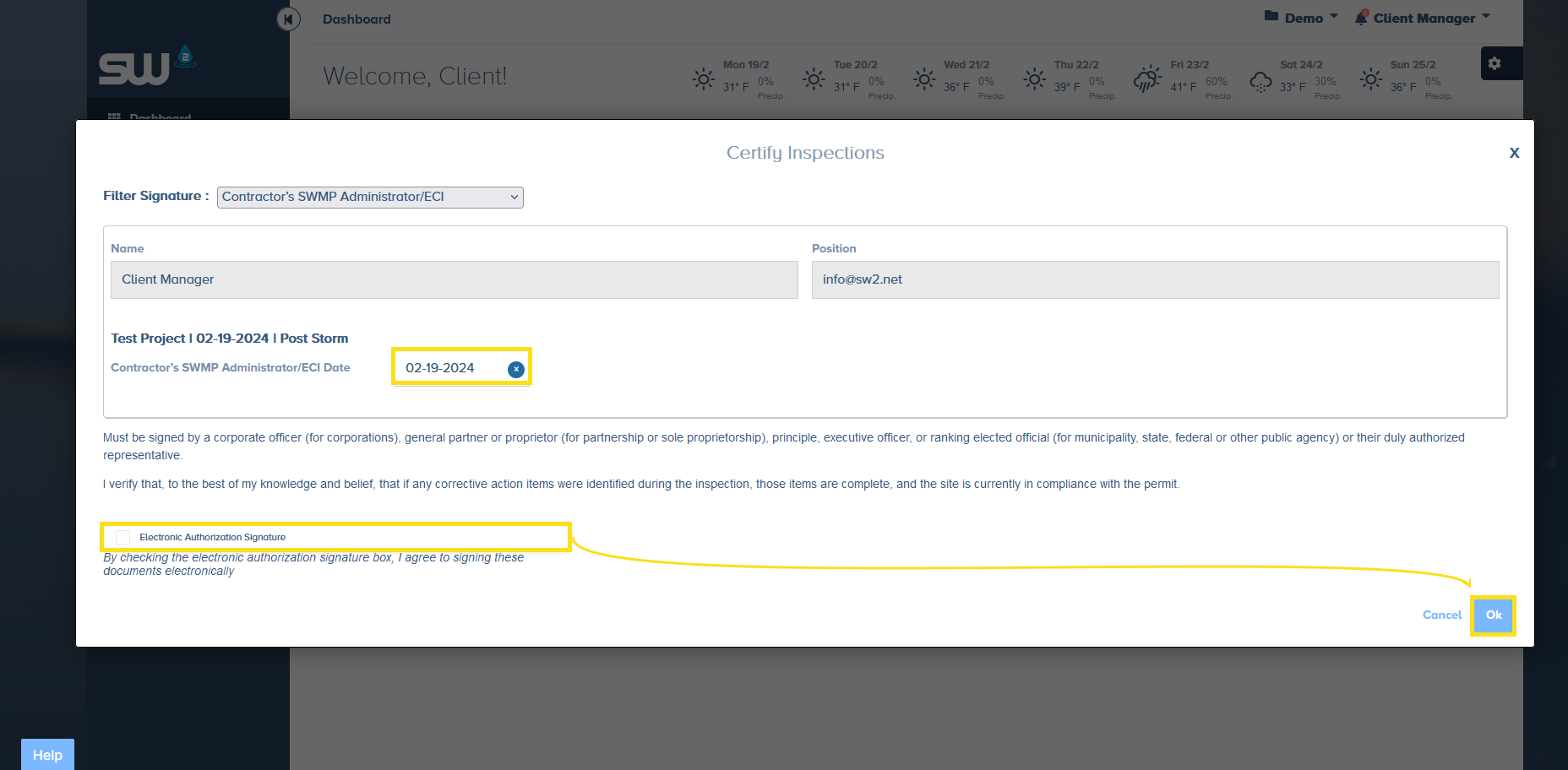
Make sure to double check that the certification date is accurate. To complete the certification process simple click the Electronic Authorization Signature box and select Ok.
Signing Multiple Reports – In Project
Users can also certify one, multiple or all inspections from the All Inspections tab within a project.
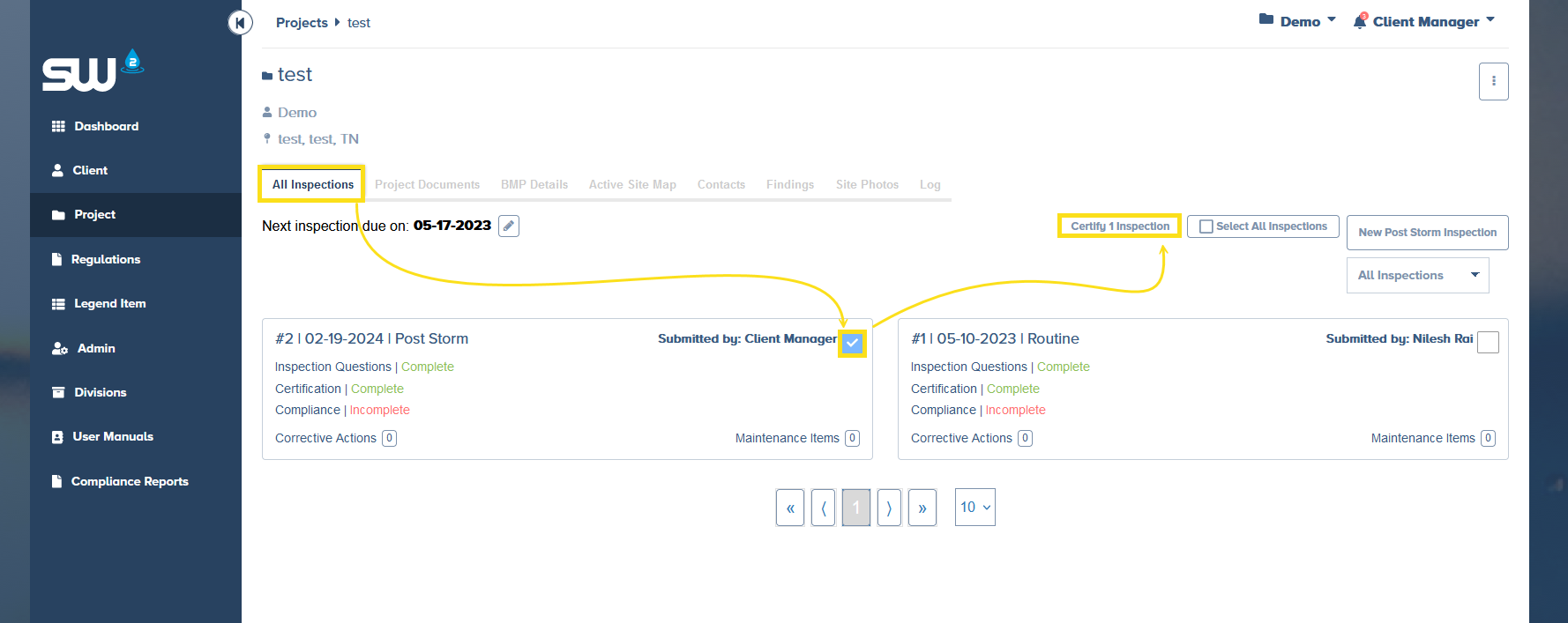
Users have the same option to isolate / sort between the available signature lines. As always, make sure to double check the date before completing the Electronic Signature process.
Signing a Specific Report
Users can sign each report individually. Start by access the Certification tab within a specific report.
- Find the eligible certification
- Double check the date
- Check the Electronic Authorization Signature box